

How prompts work
When you add a prompt to Citivus, here’s what happens behind the scenes:1
Citivus sends your prompt
Your prompt is sent to each AI provider you’re monitoring (ChatGPT, Perplexity, AI Overview).
2
Each provider generates a response
A natural-language answer that may mention brands, products, and sources.
3
Citivus analyzes the response
Your brand mentions, rank, sentiment, competitor mentions, and cited sources are extracted.
4
This repeats on a schedule
Daily by default, so you can track changes over time.
Prompts vs. keywords — Keywords are short search terms like “best EV 2026.” Prompts are full questions like “Which electric vehicle is best for long-range driving in the USA?” AI assistants respond to conversational questions, not keyword fragments — so your prompts should reflect how people actually talk to AI.
How AI models process your prompts
AI models don’t just match keywords — they understand intent and context:- Intent recognition — The AI determines what the user is trying to accomplish (compare products, find the best option, understand a topic)
- Context analysis — The AI considers geographic context, recency, and the specificity of the question
- Response generation — The AI compiles information from its training data and cited sources to generate a comprehensive answer
Anatomy of an effective prompt
The best prompts combine clear intent with specific context:Preparing your prompt topics
Before creating prompts, organize them into topic clusters that cover different aspects of your business:- Product-focused
- Brand-focused
- Industry-focused
- Purchase-intent
- “Best [product category] in 2026”
- “Top [product type] for [specific use case]”
- “[Product A] vs [Product B] comparison”
Creating prompts in Citivus
You can create prompts in three ways:AI-suggested prompts (recommended)
AI-suggested prompts (recommended)
During onboarding or when adding a new brand, Citivus analyzes your website and generates strategic prompt suggestions. These are tailored to your specific brand, industry, and product offerings.Navigate to Prompts Monitor and click “New Prompt” to see suggestions and add new prompts manually.
Manual entry
Manual entry
From the Prompts Monitor page, click the “New Prompt” button. Enter your prompt text, select the AI providers to monitor, and choose the target location.
Editing existing prompts
Editing existing prompts
Each prompt in your list has an Edit button. Click it to modify the prompt text, change providers, update the location, or pause monitoring.
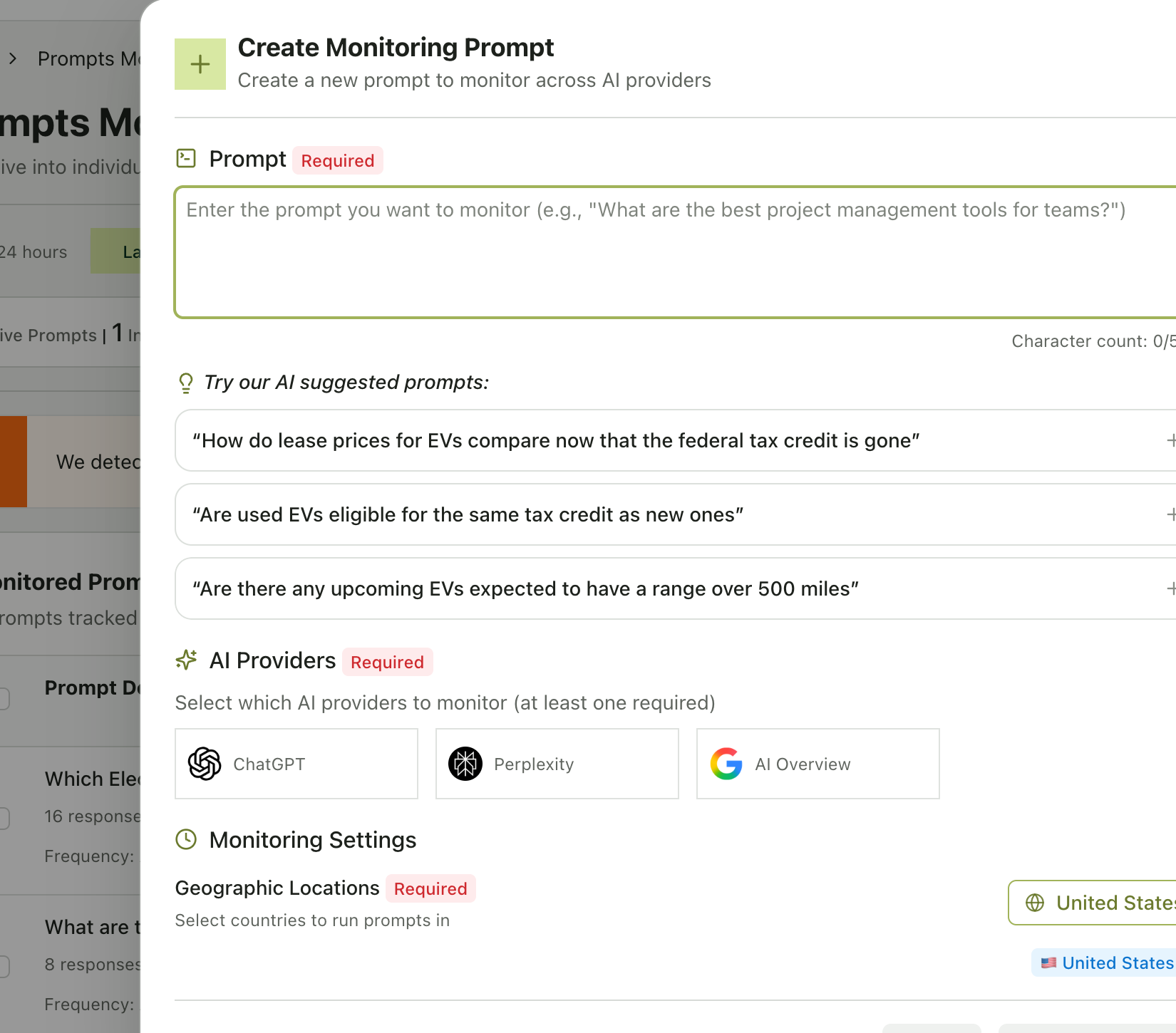
The New Prompt dialog with AI-suggested prompts, provider selection, and location settings
Provider selection matters. Each AI provider may give different results for the same prompt. We recommend monitoring across all available providers (ChatGPT, Perplexity, AI Overview) for the most comprehensive picture. You’ll see per-provider performance breakdowns on the prompt detail page.
Understanding prompt status
Each prompt has a status that tells you how it’s performing:
On the Prompts Monitor page, you can toggle between Active and Stopped tabs to manage your prompt library.
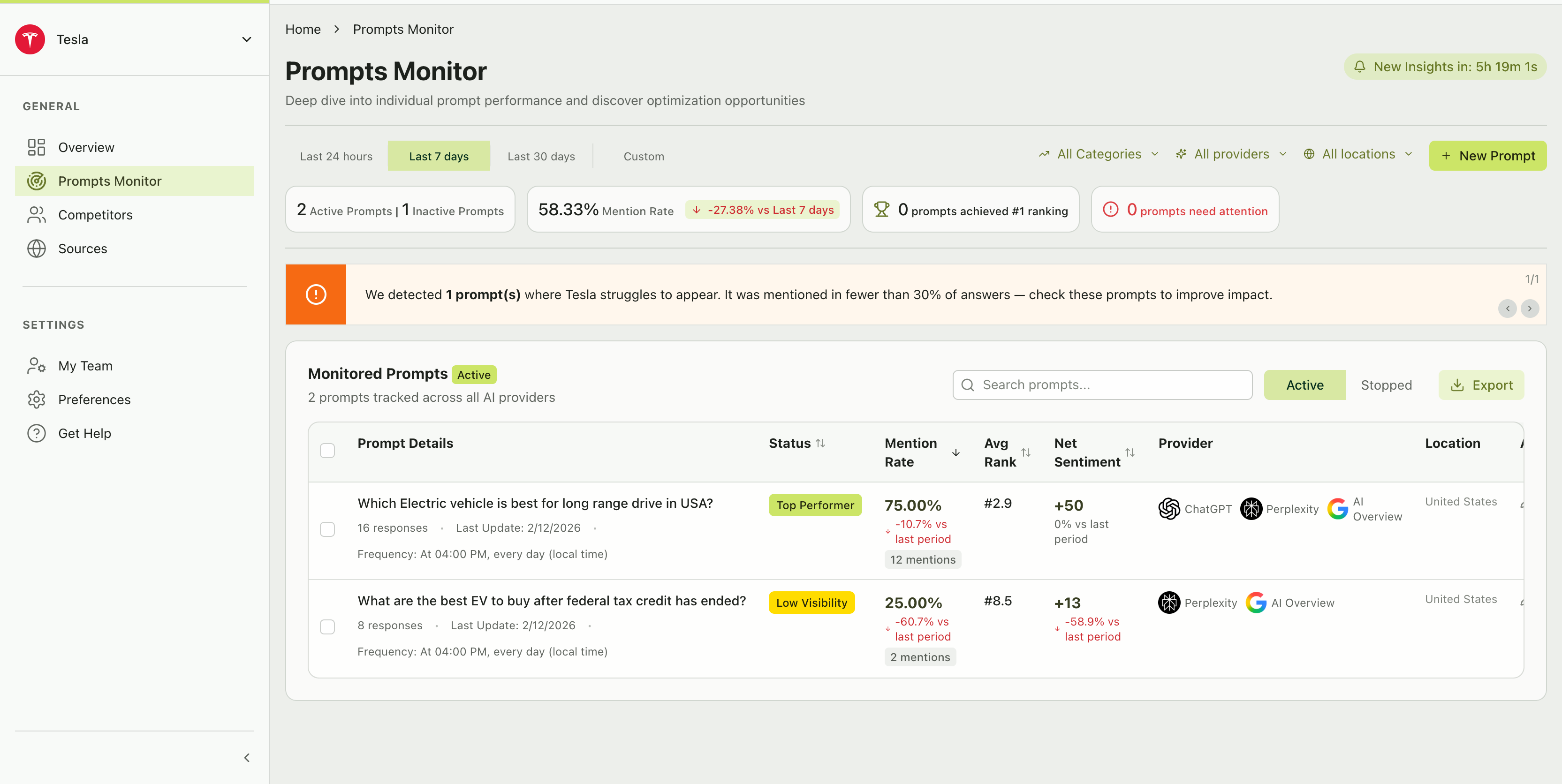
The Prompts Monitor page showing active prompts with status, mention rate, and performance metrics
Managing prompt limits
Your subscription plan determines how many active prompts you can run simultaneously.- Active prompts count toward your plan limit
- Stopped prompts do not count toward your limit
- Deleted prompts are permanently removed and free up a slot
Prompt run frequency
Citivus runs your prompts daily at a set time (shown on each prompt card). This means:- You get at least one new data point per provider per prompt every day
- Trends become visible after a few days of data collection
- The “Last Update” timestamp on each prompt tells you when the latest run occurred
What good looks like
After a week of monitoring, you should be able to see:- Which prompts your brand consistently appears in (top performers)
- Which prompts your brand struggles with (low visibility / needs attention)
- How your mention rate trends over time
- Which competitors appear in the same prompts